%20or%20the%20dark%20window%20chrome.%20Any%20surface%20that%20needs%20it%20in%20another%20colour%20uses%20the%20file%20as%20a%20CSS%20mask%20and%20paints%20it%20with%20a%20token,%20rather%20than%20a%20second%20copy%20of%20the%20geometry%20in%20another%20colour.%20--%3e%3csvg%20viewBox='0%200%20512%20512'%20xmlns='http://www.w3.org/2000/svg'%20width='512'%20height='512'%3e%3cdefs%3e%3c!--%20The%20gaps%20in%20the%20rings:%20one%20column%20and%20one%20row,%20cut%20out%20of%20both.%20--%3e%3cmask%20id='mk-rings'%3e%3crect%20width='512'%20height='512'%20fill='%23fff'/%3e%3crect%20x='234'%20y='0'%20width='44'%20height='512'%20fill='%23000'/%3e%3crect%20x='0'%20y='234'%20width='512'%20height='44'%20fill='%23000'/%3e%3c/mask%3e%3c/defs%3e%3cg%20mask='url(%23mk-rings)'%20fill='none'%20stroke='%23ffffff'%20stroke-width='26'%3e%3crect%20x='96'%20y='96'%20width='320'%20height='320'%20rx='92'/%3e%3crect%20x='152'%20y='152'%20width='208'%20height='208'%20rx='62'/%3e%3c/g%3e%3ccircle%20cx='256'%20cy='256'%20r='70'%20fill='%23ffffff'/%3e%3c/svg%3e)
Codegen
Take the query with you
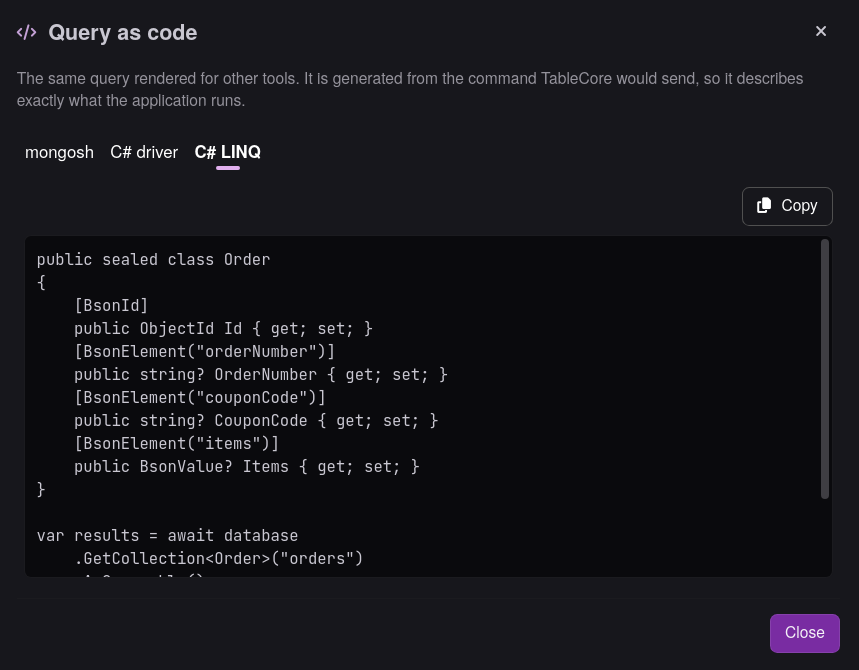
The Query as code dialog renders the exact command TableCore would send — as a mongosh call, C# driver code or C# LINQ. What you copy is what the application runs.
5 documents returned 18 ms
One query, every useful representation
The pipeline never disappears behind magic. Each step of the translation stays visible, editable and yours.
Use a focused editor with syntax highlighting, autocomplete for collections and fields, and inline diagnostics — instead of assembling a pipeline stage by stage.
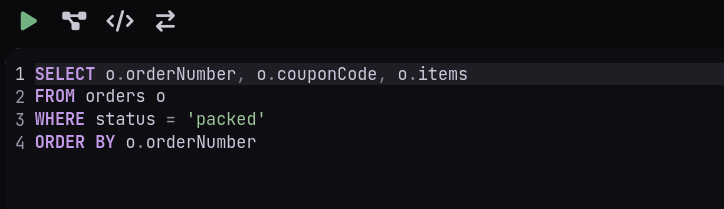
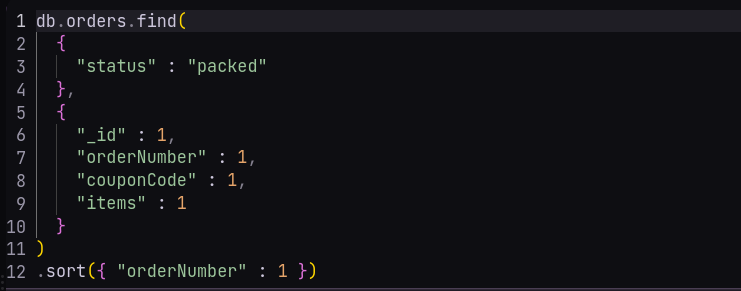
TableCore converts your SQL into the MongoDB command it will actually send. Inspect it, edit it, run it — and switch back to SQL whenever you want.
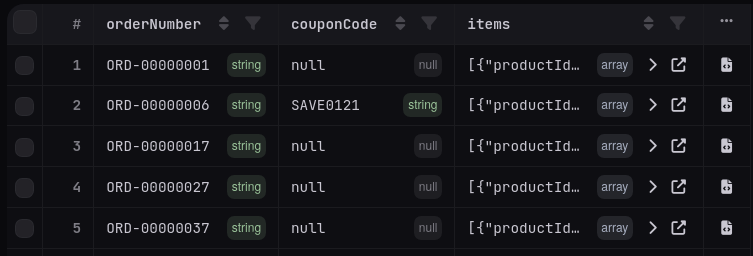
Results arrive in a type-aware grid. Every value carries its BSON type, documents expand in place, and editable results can be changed and saved safely.
Built for the daily grind
Codegen
The Query as code dialog renders the exact command TableCore would send — as a mongosh call, C# driver code or C# LINQ. What you copy is what the application runs.
Performance
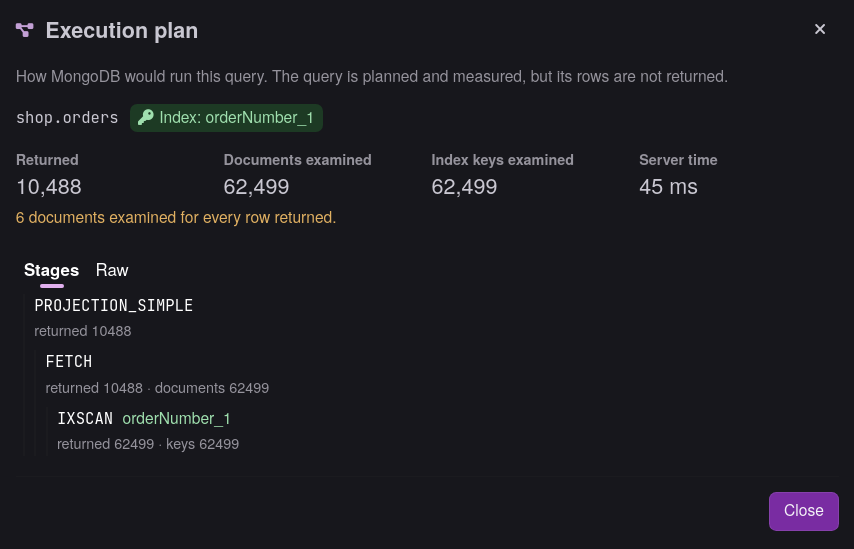
The execution plan view shows returned and examined document counts, index usage and server time — and warns you about collection scans before they hurt.
Large results
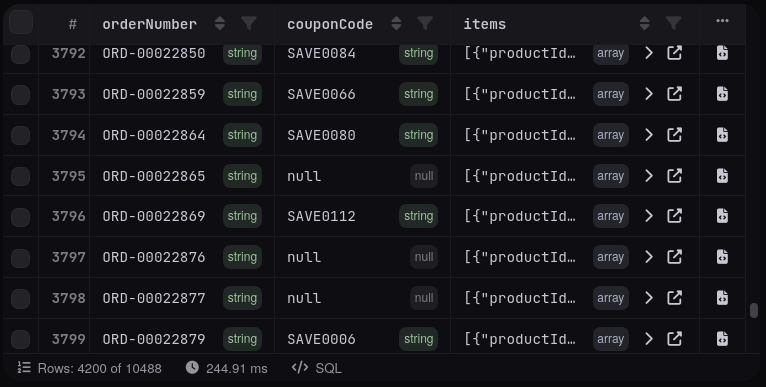
Results stream from MongoDB in batches as you scroll, so the first rows appear immediately and memory stays flat even on large collections.
Simple plans
Everything you need to query MongoDB with SQL.
$0 forever
Personal and non-commercial use, and organisations under $1M annual revenue.
Adds the operational data tools for day-to-day work.
$10 / month
7-day free trial. No refund request required.
Any organisation, at any revenue.
For teams that manage MongoDB together.
$20 / month per user
Any organisation, at any revenue.
Get started
The public installer is temporarily unavailable. Check the download page for the current release status.
No Windows installer is currently published. macOS and Linux remain planned.